USB Video Streaming
Overview
This section describes how to using UVC to Implement live Video Streaming via the UVC Protocol Based on the ESP32-S3.
Key Features
UVC(USB Video Class) is a protocol defined and maintained by the USB Implementers Forum (USB-IF). Key features include::
- Support for High-resolution image captuure
- Driverless operation with true plug-and-play functionality
- Standardized interface for seamless cross-device integration
- Broad host compatibility across major operating systems
Preparation
Hardware
- NE100-MB01 Dev Board
- UVC USB Camera Module
Software
1. Firmware
- Download pre-compiled firmware for use:lowpower_camera/bin/NE_101_UVC
2. Environment Requirements
- IDE Software:Visual Studio Code(v1.99.2+)
- Development Framework:ESP-IDF Extension(v5.1.6)
- Example Repository: lowpower_camera
Verify the video stream
Using Precompiled Firmware
-
Hardware Connection:
- Connect the UVC camera module to the development board
- For More details please refer to the Hardware Connection Guide
-
Firmware flashing: Refer to the below to flash the firmware:
-
Check the video streaming output:
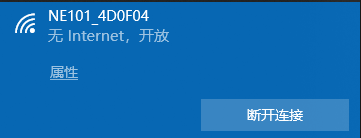
- Press and hold the camera button to enter configuration mode.
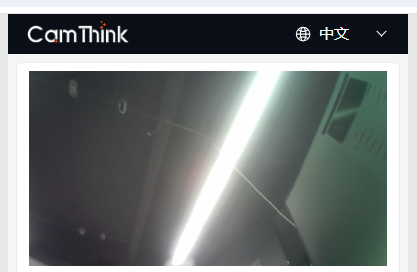
- Access the web management interface at http://192.168.1.1, as shown in the figure below.
- Check if the video streaming displays correctly.

Using Source Code Development
1. Clone the repository using the following command
git clone https://github.com/camthink-ai/lowpower_camera.git
2.Project setup :
Open the directory in VS Code

3. Configuration :
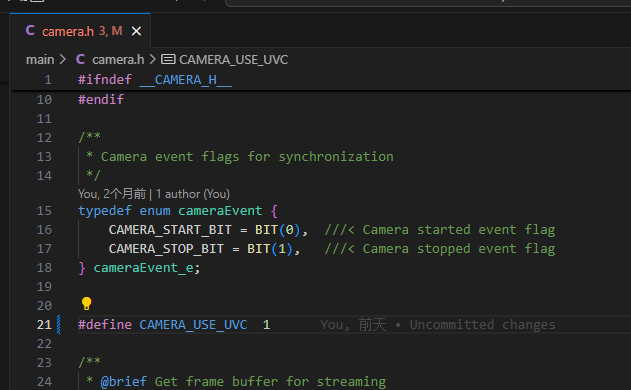
Open the camera.h file located in the /main directory and enable the UVC feature.
4. Compile and deploy the source code
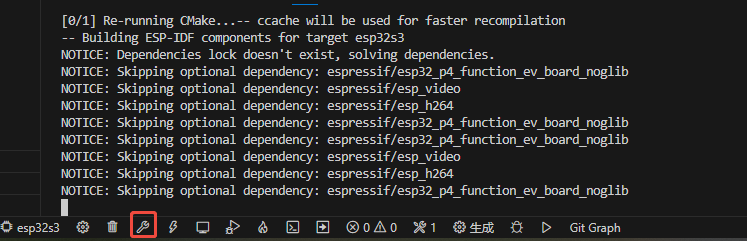
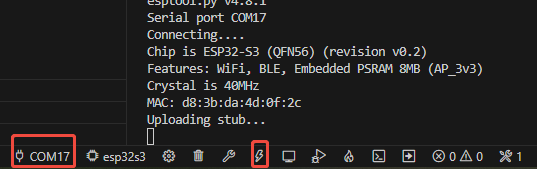
- Select esp32s3 as the target chip.:

- Select the build button to compile the source code.
- Select the flash button to upload the generated firmware to the device:
5. Check the video streaming output
Same with using precompiled firmware
Notes
Protocol Limitations::
- The ESP32-S3 only supports USB 1.1.
- Ensure that the camera is compatible with the USB 1.1 standard.
Tip: During development, it is recommended to keep serial port monitoring enabled to capture any abnormal information in a timely manner.